


This is a simple maven reporting plugin that takes a directory structure with an html structure, in this case Concordion reports, and add them to a maven site report.
Works with maven 2.2.1 or 3.x, the project (now maven 3) contains a navigable Concordion report generated by mvn site:site
Add the following in the reporting section
<reporting>
   <plugins>
      <plugin>
        <groupId>com.github.bassman5</groupId>
        <artifactId>maven-concordion-reporting-plugin</artifactId>
        <version>1.0.2</version>
        <configuration>
          <concordionDir>${basedir}/target/concordion</concordionDir>
          <concordionIndexFile>acceptanceTests/AcceptanceTests.html</concordionIndexFile>
        </configuration>
      </plugin>

  </plugins>
</reporting>
The directory defined in the build section, where the Concordion files can be found is set in concordionDir
The top level html index file which will be the link you will be taken to from the Project Reports->Concordion menu is set in concordionIndexFile
Then in your site report the Concordion report will be added to the Project Reports section
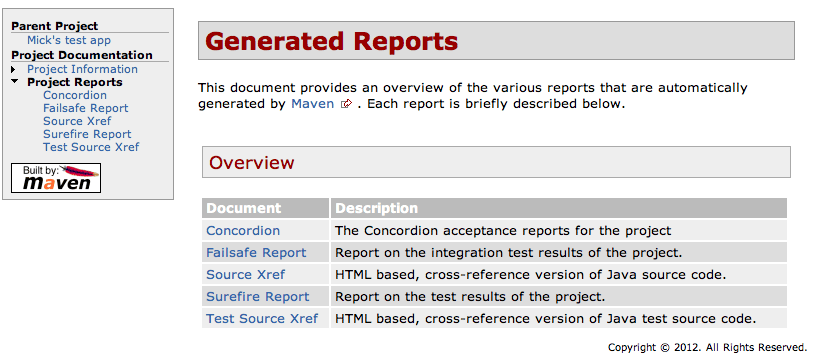
Clicking on the Concordion menu will take you to your Concordion html index file.
The Apache Software License, Version 2.0 http://www.apache.org/licenses/LICENSE-2.0.html
Mick Dudley mick at dudley.uk.com
You can download this project in either zip or tar formats.
You can also clone the project with Git by running:
$ git clone git://github.com/bassman5/maven-concordion-reporting-plugin